AVI (Audio Video Interleave) is Microsoft's container from 1992, and the .avi files that survive today are usually decades old: home videos from early digital camcorders, DivX or XviD movie rips from the file-sharing era, screen captures from a long-defunct Camtasia version, or scientific recordings from lab cameras with proprietary codecs. AVI predates streaming; it was designed for spinning hard disks and CDs, and its structure makes random-access into long files awkward. None of that matters for converting to MP3 — we read the audio track sequentially and re-encode it.
Because AVI is well outside the WebCodecs sweet spot, this conversion runs on the FFmpeg-wasm fallback engine. That means a one-time ~30 MB download the first time you convert (cached after that), then conversion proceeds. The file is processed in memory, which the browser caps around 2 GB — so a single multi-gigabyte AVI rip may need to be cut on the desktop first. Most surviving AVIs are well under that limit.
AVI is a 1992 container that predates streaming, so it takes a different path here: AVI files go to the FFmpeg WebAssembly engine, which downloads about 30 MB on first use and then runs entirely inside your tab. It is slower than the WebCodecs path used for MP4, MOV, MKV and WebM, but it handles containers browsers have never heard of — AVI, FLV, WMV, 3GP and MPEG.
What sits inside an AVI is anyone's guess. Camcorder and DVD-era files often carry uncompressed PCM or MP3 audio, older movie rips carry AC-3 or WMA, and DV captures carry DV audio. PCM and MP3 convert cleanly; proprietary or uncommon audio can fail, and then one local ffmpeg pass is the fix.
Common scenarios
When to convert AVI to MP3
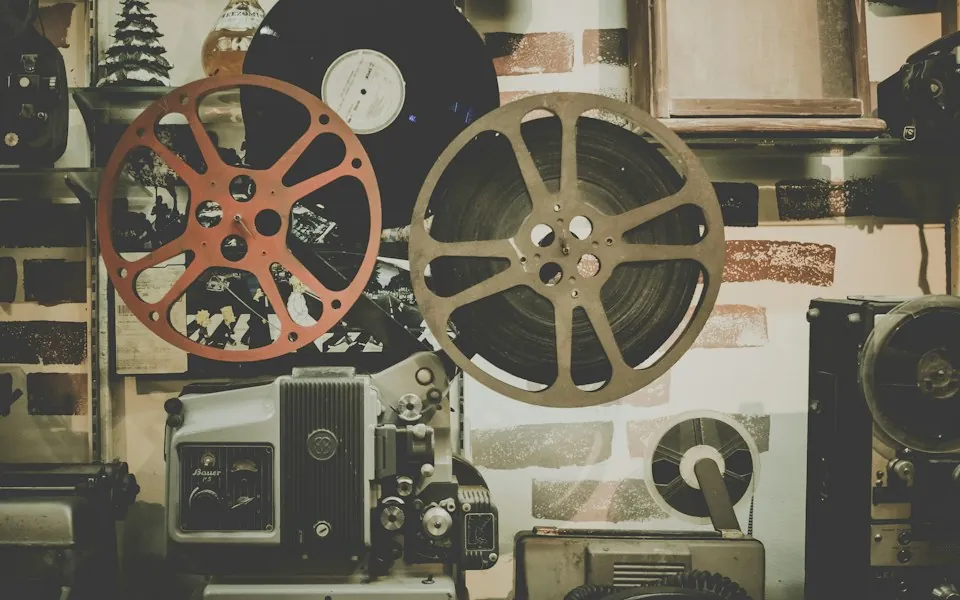
Old camcorder footage
Mini DV and early digital camcorders often dumped to AVI with MP3 or PCM audio. Extract the audio for memorial montages or family archives.
DivX / XviD movie rips
If you legally ripped DVDs in the 2000s to AVI, the audio is usually MP3 or AC-3. Pulling an MP3 out for car listening is straightforward.
Lab and scientific recordings
Microscope cameras and instrumentation software often save AVI with PCM or uncompressed audio. Convert to MP3 for easier review and sharing.
Archive digitization
Older tutorial CDs and educational discs used AVI extensively. Pulling MP3 audio for long-form listening is a common digitization step.
Under the hood
How the conversion works
Why AVI needs the compatibility engine
AVI's container quirks (chunk-based, no global index in many older files) and the long tail of obscure audio codecs (DivX Audio, GoToMeeting G2M, Xperts variants) mean the WebCodecs fast path doesn't handle it. FFmpeg-wasm carries decoders for essentially everything AVI has ever wrapped, which is why we route AVI through it.
The 2 GB ceiling
FFmpeg-wasm allocates linear WebAssembly memory inside a single browser tab, capped at roughly 2 GB by the 32-bit memory model that current FFmpeg builds use. Most archival AVIs are well under that. For genuine multi-gigabyte AVIs, use a desktop tool to split the file first (or convert directly with command-line FFmpeg).
Everything runs on your own machine
The FFmpeg engine is WebAssembly running inside your browser, not on a server. Old home videos and lab recordings are decoded and re-encoded locally, so nothing is uploaded and there is no server-side size limit — the only ceiling is the 2 GB in-tab memory budget above.
Why AVI uses the other engine
Browsers cannot demux AVI at all — there is no WebCodecs container parser for it. We load FFmpeg compiled to WebAssembly (about 30 MB, cached after the first file) and demux in the tab. The download is the engine itself, never your file.
Practical size limits
The WebAssembly build works in a 32-bit memory space, so very large AVI files — roughly 1-2 GB and up — can fail when memory is tight, and phones fail much earlier. Split locally if needed: ffmpeg -i input.avi -c copy -f segment -segment_time 600 part%03d.avi.
Interleaved and damaged files
AVIs written by interrupted captures often have a broken index. FFmpeg usually recovers them; if a conversion stalls at 0 percent, run ffmpeg -i input.avi -c copy -fflags +genpts repaired.avi locally first and convert the repaired copy.
Which output format and bitrate to pick
AVI usually carries MP3, AC-3, or uncompressed PCM audio. MP3 gives you a universally compatible file; when the source is PCM, WAV or FLAC preserve it losslessly. Sizes are approximate, per minute of audio.
| Output | Best for | Approx. size / min |
|---|---|---|
| MP3 320 kbps | Music rips and anything you want kept at full quality | ~2.4 MB |
| MP3 192 kbps | Old camcorder audio and spoken word — plenty for lo-fi sources | ~1.4 MB |
| MP3 128 kbps | Speech-only archives where small size wins | ~1.0 MB |
| M4A (AAC) | Smaller than MP3 at equal quality, if your player supports it | ~1.4 MB |
| WAV | A lossless copy when the AVI holds PCM audio | ~10 MB |
| FLAC | Lossless archiving at about half the size of WAV | ~5 MB |
How to
Step by step
clip.avi
Output: MP3 · Standard · 192 kbps
OptionsConversion runs locally · this tab stays online during processing.
Extract audio- 1
Drop your .avi
Drag the file in. The first time, the FFmpeg engine loads (~30 MB, cached after).
- 2
Confirm MP3 + bitrate
For old camcorder audio, 192 kbps is usually plenty — these sources weren't high-fidelity to start with. Switch to WAV or FLAC if the AVI holds PCM you want to keep lossless.
- 3
Preview, then trim if you want a segment
When it finishes, play the audio on the page and drag across the waveform to keep just a section — handy for lifting one moment out of a long camcorder tape.
- 4
Download the audio
Conversion is slower than WebCodecs-based formats but still typically minutes, not hours. Convert the same file to another format without reloading it.
FAQ
Frequently asked questions
Is this free, with no watermark or account?
Yes — no sign-up, no paywall, and nothing stamped on the audio. Every bitrate and output format is open to everyone, including the FFmpeg-backed AVI path.
Does my AVI get uploaded anywhere?
No. Even though AVI uses the heavier FFmpeg engine, that engine runs inside your browser — the file is decoded locally and never sent to a server. Old home videos stay on your machine.
Why is the first AVI conversion slower than the same MP4?
AVI uses the FFmpeg-wasm fallback, which has to load ~30 MB of WebAssembly the first time. After that the engine is cached and subsequent conversions start instantly. MP4/MOV/MKV/WebM use a lighter native-WebCodecs engine that's already shipped.
Can I convert a 3 GB AVI rip?
The browser's WebAssembly memory ceiling is around 2 GB. For files over that, split the AVI on the desktop (with VirtualDub or command-line FFmpeg) and convert pieces. We're investigating Memory64 for a future build that would lift this limit.
My AVI has DivX or XviD audio — wait, audio? Those are video codecs.
Correct — DivX and XviD are video codecs, paired inside AVI with separate audio codecs, usually MP3 or AC-3. Don't worry about the video; we discard it and process only the audio track.
Can I pull out just one section of the audio?
Yes. After conversion, play the result and drag across the waveform to select a segment, then download only that clip — useful for a single moment in a long recording.
What if the audio in the AVI is some obscure codec I've never heard of?
FFmpeg-wasm includes decoders for essentially every audio codec ever shipped in an AVI. If you hit a file that genuinely won't decode, please open a GitHub issue with the codec name from a tool like MediaInfo — we can usually expand support.
Why is AVI slower than MP4?
AVI is demuxed by the FFmpeg WebAssembly engine instead of the native WebCodecs path, and that engine is about 30 MB to download on first use. It is cached afterwards, but it remains a software demuxer running in wasm.
What is the largest AVI I can convert?
We impose no cap, but the wasm build is limited by 32-bit memory. In practice: a few hundred MB is fine, 1-2 GB works on a desktop with free memory, and anything much larger should be split locally first.
My AVI has AC-3 or WMA audio and failed.
The wasm build cannot decode every legacy codec. Re-encode the audio locally: ffmpeg -i input.avi -c:a aac -b:a 192k -vn audio.m4a, then convert audio.m4a here.
Does the 30 MB download mean my file is being uploaded?
No. That download is FFmpeg's WebAssembly binary from a public CDN, fetched once and cached. Your AVI is read into the tab's memory and never leaves it — the Network panel shows no upload requests.
Can I convert DV or camcorder AVIs?
Usually yes. DV AVIs carry PCM or DV audio and the FFmpeg path decodes both. Expect large outputs if you choose WAV, because DV audio is typically 48 kHz stereo PCM.
Can I repair an AVI that stalls immediately?
Try rebuilding the index locally: ffmpeg -i input.avi -c copy -fflags +genpts repaired.avi. If that fails too, the file is probably truncated and no converter will recover the missing part.
See also
Related converters